
OK, another How To, and another problem that has had me absolutely stumped! A user rang up and reported that his Tab key had stopped working, and his Windows key had stopped working for shortcuts... Now I have heard of this happening when someone has a file on a key by accident, or accidentally switched Sticky Keys on, but having checked for both of these I ran out of ideas.
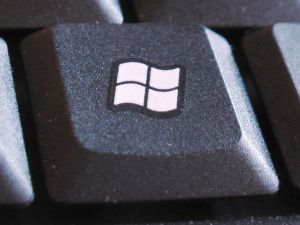
Then I pulled together various suggestions, which I think would be a "Go-To" list to fix this issue. Try each of these points and then see if the keys work as normal again:
1. Press the "Windows" Key twice - this will turn off sticky-keys if it has been accidentally enabled.
2. Press Alt twice.
3. Press Ctrl twice.
4. Change the keyboard language in Control Panel from your current (Normally English - UK for us Brits) and then back to what it was before.
5. Reboot your machine.
If none of these work, try going to Device Manager (Under Administrative Tools) and then under the Keyboard tree, uninstall the Keyboard driver. This will stop your keyboard from working. Then reboot your machine again and see if this resolves the issue.
I can offer no explanation of what this issue is, what the cause is, or why any of these fixes (other than the last) fix it. But hopefully this will save you a bit of time if you ever come across this problem!

No comments:
Post a Comment